How to Purchase Your Deeside Dragons Season Pass
Deeside Dragons Season Pass Guide

How to purchase your Season Pass

This guide walks you through the Season Pass booking process, including choosing your payment option, selecting General Access or Reserved Seating, adding your pass to the basket, and completing checkout.

Pay in Full or Klarna Pay in 3

You will select your payment route before choosing your Season Pass type.

Reserved Seats are Main Stand only

Reserved seat selection is only available for seats in the Main Stand.

Do not mix payment types

Pay in 3 and Pay in Full tickets cannot be mixed in the same checkout.

Important priority access information

2025/26 Season Pass holders will receive first access for 1 week

To help existing Season Pass holders reselect their seats for the 2026/27 season, current 2025/26 Season Pass holders will receive priority access before passes go on general sale.

This priority window will last for 7 days. It is designed to give current holders a fair opportunity to secure the seat they previously used last season.

  • If you want to keep the same seat you had last season, please book during the priority window.
  • If you would prefer to move to a different seat for next season, please wait until Season Passes go on general sale.
  • If a seat is purchased during the priority window that was used by another 2025/26 Season Pass holder last season, the previous holder’s claim to that seat will take priority.

We appreciate everyone’s understanding. This approach helps us make the process as fair and smooth as possible for supporters who held those seats last season, while still allowing seat changes once general sale begins.

Before you start

Please make sure you are logged in to your account before going to the Season Pass page. Your tickets will be linked to your account and, once purchased, your ticket details will be available by email and through My Account / My Tickets.

Option One

General Access Season Pass

Choose this option if you do not want a fixed reserved seat. General Access pass holders can still use a “Reserved for Season Pass Holder” sticker by the bleacher seats opposite the Main Stand, or around the rink boards.
Option Two

Reserved Seat Season Pass

Choose this option if you want to lock in a seat in the Main Stand for the season. You will be asked to select your seat from the Main Stand seating map before adding your pass to the basket.

% Extra Season Pass holder discount

2026/27 Season Pass holders will also receive 18% off non-Season Pass home games. This discount applies to eligible home games that are not already included as part of the standard Season Pass.

This includes home pre-season games, home cup semi-final or cup final fixtures if we reach them, and home play-off games if we reach them.

That means you are not paying upfront for games that might not happen, or fixtures the club may not qualify for. If extra home games come along, you still get the Season Pass holder saving. Simple, fair, and risk free.

1 Choose your payment route

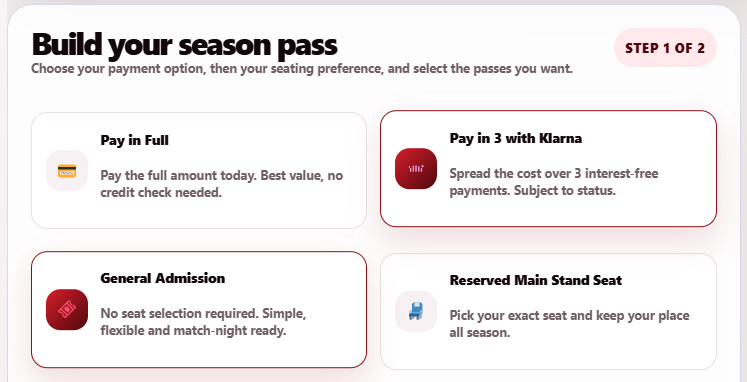
Select Pay in Full or Pay in 3 with Klarna

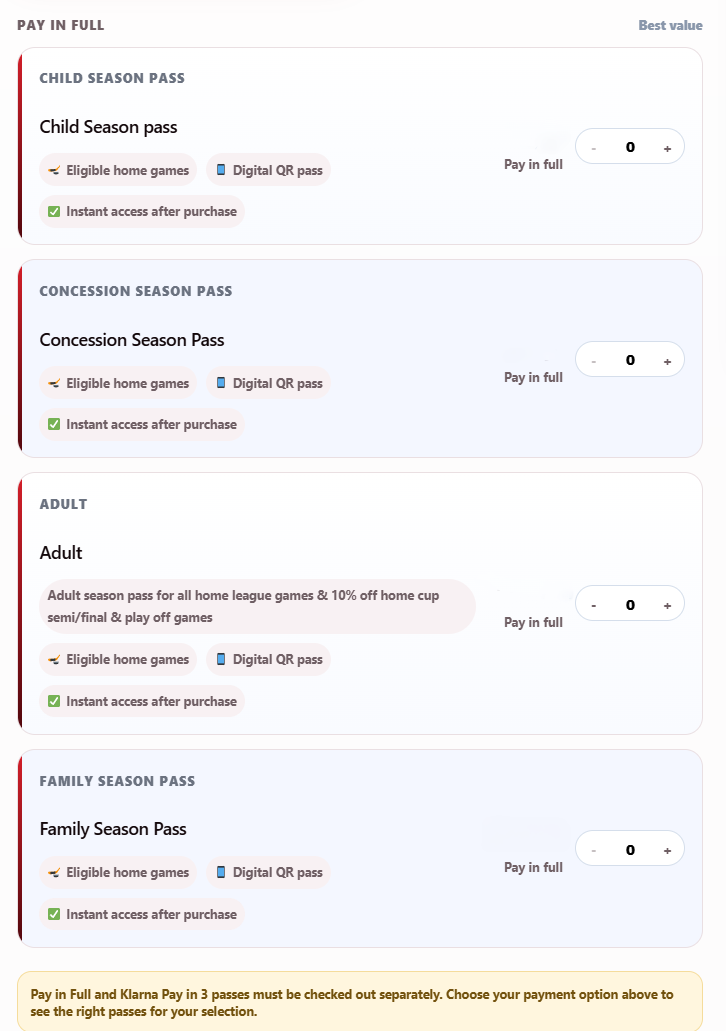
Once you are logged in and on the Season Pass page, the first step is to choose how you want to pay. You will be able to select either Pay in Full or Pay in 3 with Klarna.

  • Pay in Full means you complete the full payment at checkout.
  • Klarna Pay in 3 is subject to status and approval by Klarna.
  • This selection will determine which Season Pass products you can add to your basket.
Season Pass payment route screen showing Pay in Full and Pay in 3 with Klarna options
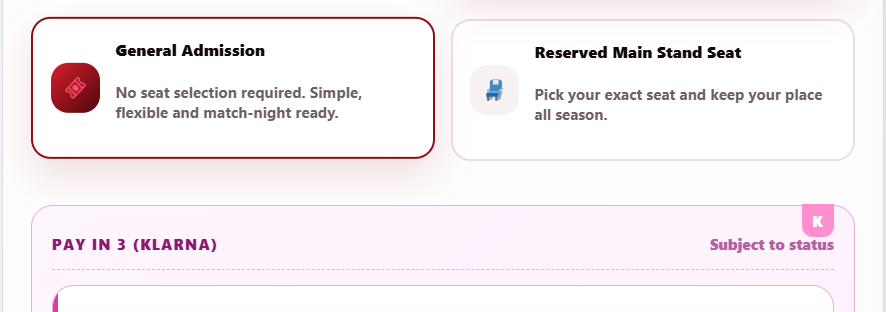
Season Pass screen showing General Access and Reserved Seat Season Pass options
2 Choose your Season Pass type

Select General Access or Reserved Seat

After choosing your payment route, you will select the type of Season Pass you want. You can choose a General Access Season Pass with no fixed seat, or a Reserved Seat Season Pass for the Main Stand.

  • General Access does not reserve a specific seat.
  • Reserved Seat selection is only available in the Main Stand.
  • Please select the pass type that best suits how you want to watch games at The Den.
3 Concession tickets

If you are selecting a Concession Season Pass

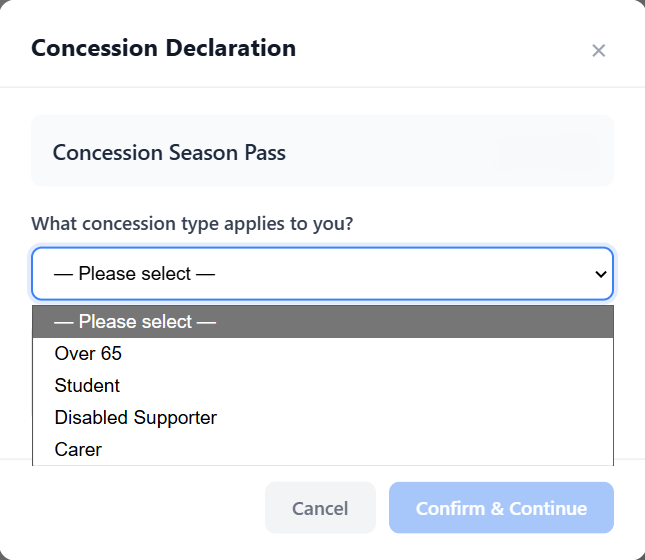
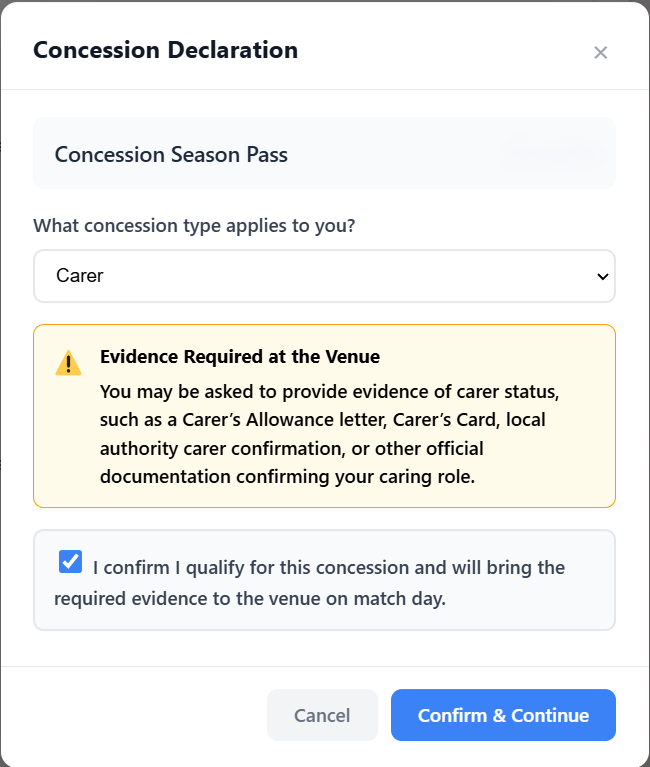
If you choose a Concession Season Pass, you will be asked to confirm which concession applies to you. Please select the correct option from the dropdown list before continuing.

  • Available concession options are Over 65, Student, Disabled Supporter, and Carer.
  • We do not offer Blue Light discount or any other concession types.
  • You must confirm that you have the correct evidence and that it can be produced at games if requested.
  • You must tick the confirmation checkbox before the concession ticket can be added.
Concession ticket dropdown showing Over 65, Student, Disabled Supporter and Carer options Concession ticket confirmation statement and checkbox confirming evidence can be produced if requested
4 General Access route

If you choose General Access

If you choose General Access, you will be taken to the General Access Season Pass screen. From here, select the ticket type or ticket types you need, then add them to your basket.

  • General Access is ideal if you do not need the same fixed seat every game.
  • You can select the relevant ticket types before adding them to your basket.
  • General Access Season Pass holders can use a Reserved for Season Pass Holder sticker in permitted areas.
General Access Season Pass screen showing ticket type selection options
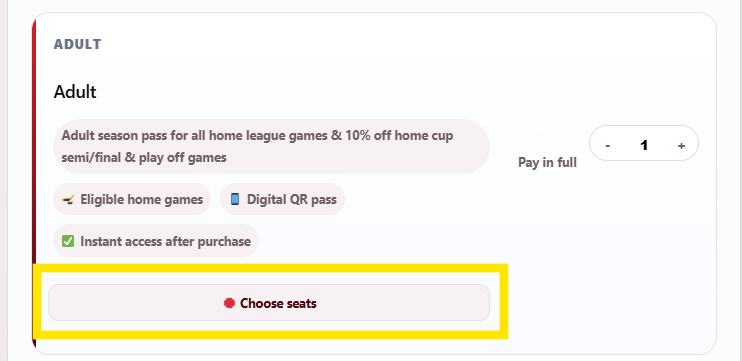
Reserved Seat Season Pass screen showing the Select Seats button
5 Reserved Seat route

If you choose Reserved Seating

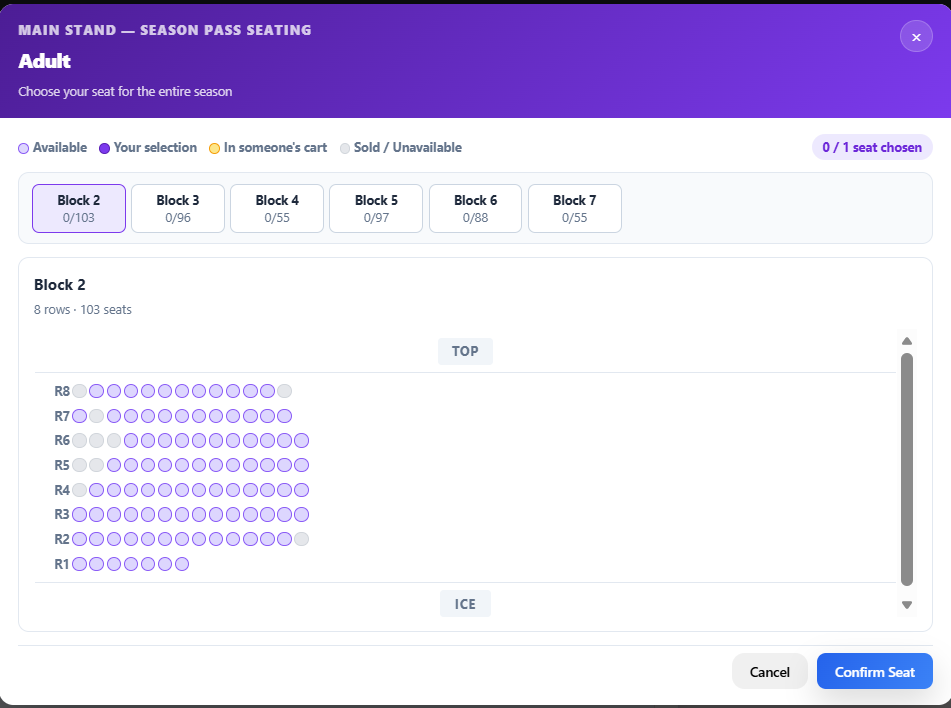
If you choose a Reserved Seat Season Pass, you will be asked to select your seat or seats. Click the Select Seats button to open the Main Stand seating map.

  • Reserved Seating is for the Main Stand only.
  • Select the seat or seats you want from the seating map.
  • Once your selection is made, click Add to Cart.
6 Understanding the seating map

Main Stand blocks explained

When looking at the seating map, the Main Stand blocks run from left to right. Block 0 is on the left and is the scoreboard end. Block 7 is the Café end. Block 4 is the small centre ice section above the player entrance tunnel.

  • Block 0 is at the scoreboard end.
  • Block 7 is at the Café end.
  • Block 4 is the small centre ice section above the player entrance tunnel.
  • Block 0 will not be selectable for Season Passes.
Main Stand seating map showing the available seating blocks for Season Pass selection

! Important payment information

Please make sure you choose one payment route for your order. You cannot mix Pay in Full Season Passes with Pay in 3 with Klarna Season Passes in the same checkout.

If you add both payment types to your basket, the Klarna Pay in 3 option will not be available at checkout. To use Klarna Pay in 3, your basket must only contain eligible Klarna Pay in 3 Season Passes.

Do not mix baskets Pay in Full and Klarna Pay in 3 must be kept separate.
Klarna is subject to status All Klarna applications are handled and assessed by Klarna.
Select Klarna at checkout You must choose Klarna at checkout to start the Klarna process.
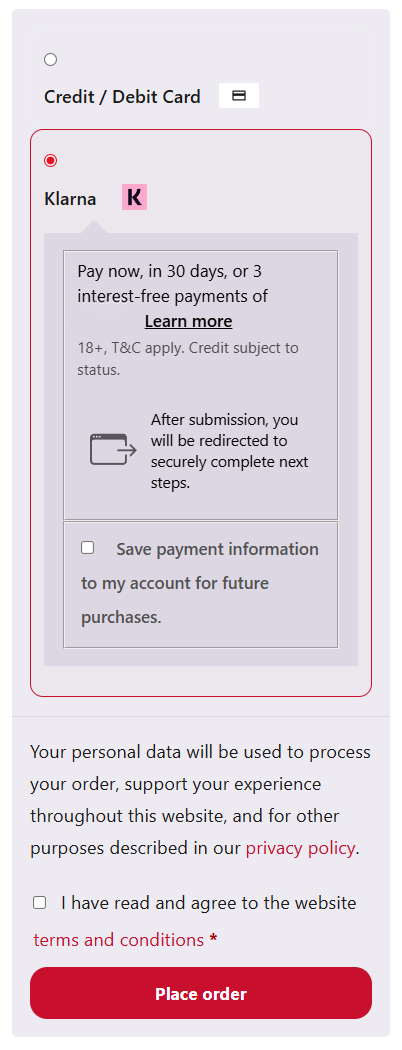
Checkout page showing the Klarna payment option for Pay in 3 Season Passes
7 Checkout

Select Klarna if using Pay in 3

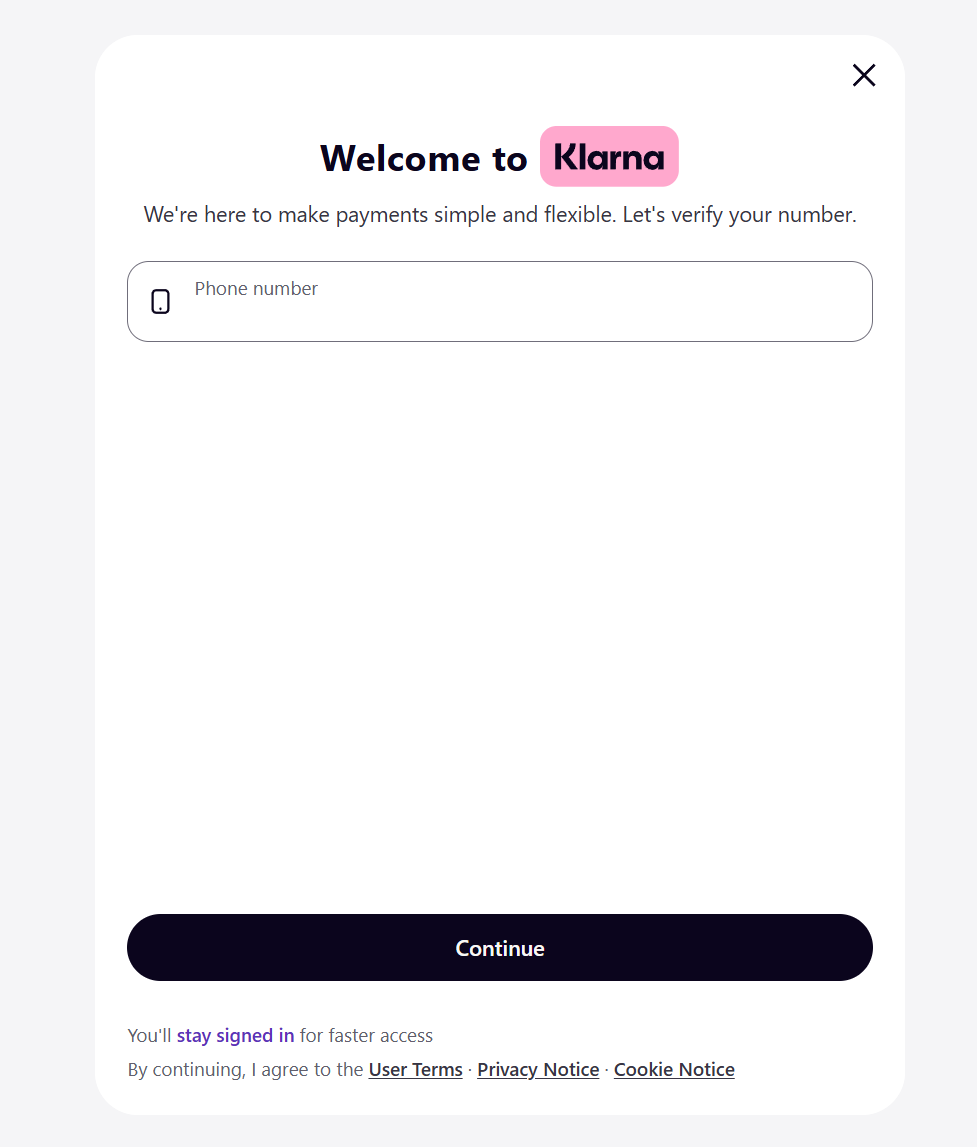
If you have selected Pay in 3 Season Passes, you must choose the Klarna option at checkout. You will then be taken through Klarna’s own process to apply for Pay in 3.

  • The Klarna setup is completed through Klarna.
  • Applications are subject to Klarna’s checks and approval.
  • Deeside Dragons IHC does not control Klarna decisions.
8 Complete your order

Finish the Klarna or Pay in Full process

If your Klarna application is successful, you will be able to complete your Season Pass purchase. If you are paying in full, you will complete your payment directly through the checkout.

  • Follow the checkout instructions carefully.
  • Check your order before confirming your purchase.
  • Once completed, your Season Pass information will be issued digitally.
Klarna Pay in 3 process or final checkout confirmation screen
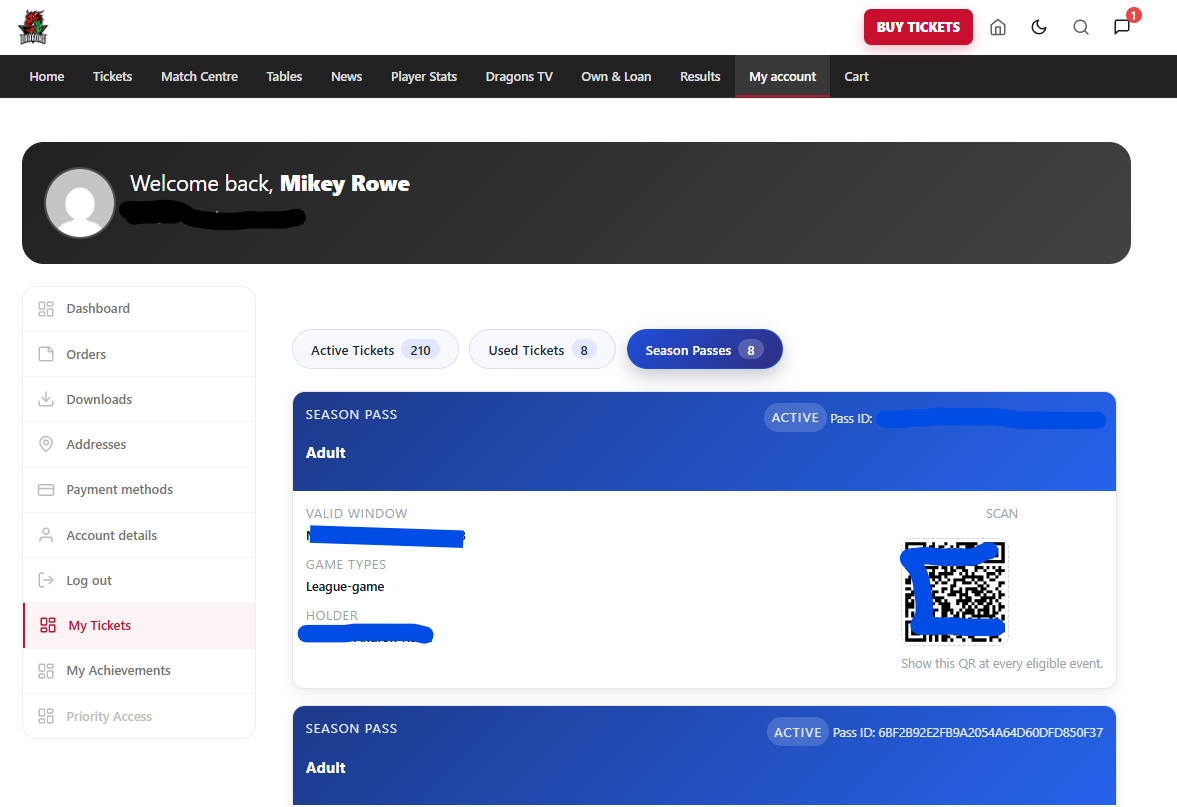
My Account and My Tickets area showing where Season Pass details can be found
9 Ticket delivery

Where to find your Season Pass

After your order is completed, your Season Pass information will be sent by email. You will also be able to access your Season Pass through your account.

  • Check your email confirmation after purchase.
  • Log in and go to My Account / My Tickets.
  • Your Season Pass details will be linked to your account.

Useful things to know

These are the key points supporters should check before completing their Season Pass order.

Can I reserve a seat with General Access?

No. General Access does not reserve a fixed seat. However, General Access Season Pass holders can use a Reserved for Season Pass Holder sticker in the permitted bleacher or rink board areas.

Where can I choose a reserved seat?

Reserved Seat selection is only available for the Main Stand. You will choose your seat from the Main Stand seating map before adding the pass to your basket.

Can I buy Pay in Full and Klarna passes together?

No. You must choose one payment route per checkout. If both types are in your basket, the Klarna Pay in 3 option will not be available.

Who decides if Klarna is approved?

Klarna manages and assesses all Pay in 3 applications. Klarna approval is subject to status and is not controlled by Deeside Dragons IHC.

Which concessions are available?

Available concessions are Over 65, Student, Disabled Supporter, and Carer. We do not offer Blue Light discount or any other concession types.

? Need help?

Use the club’s official support system

If you require further help or support with purchasing your Season Pass, please contact the club through the official support system on the Deeside Dragons website.

  • Please do not rely on social media comments or private messages for ticket support.
  • Using the official support system helps the club keep track of your query properly.
  • Visit dragonsihc.co.uk/contact-us-2/ and submit your request.
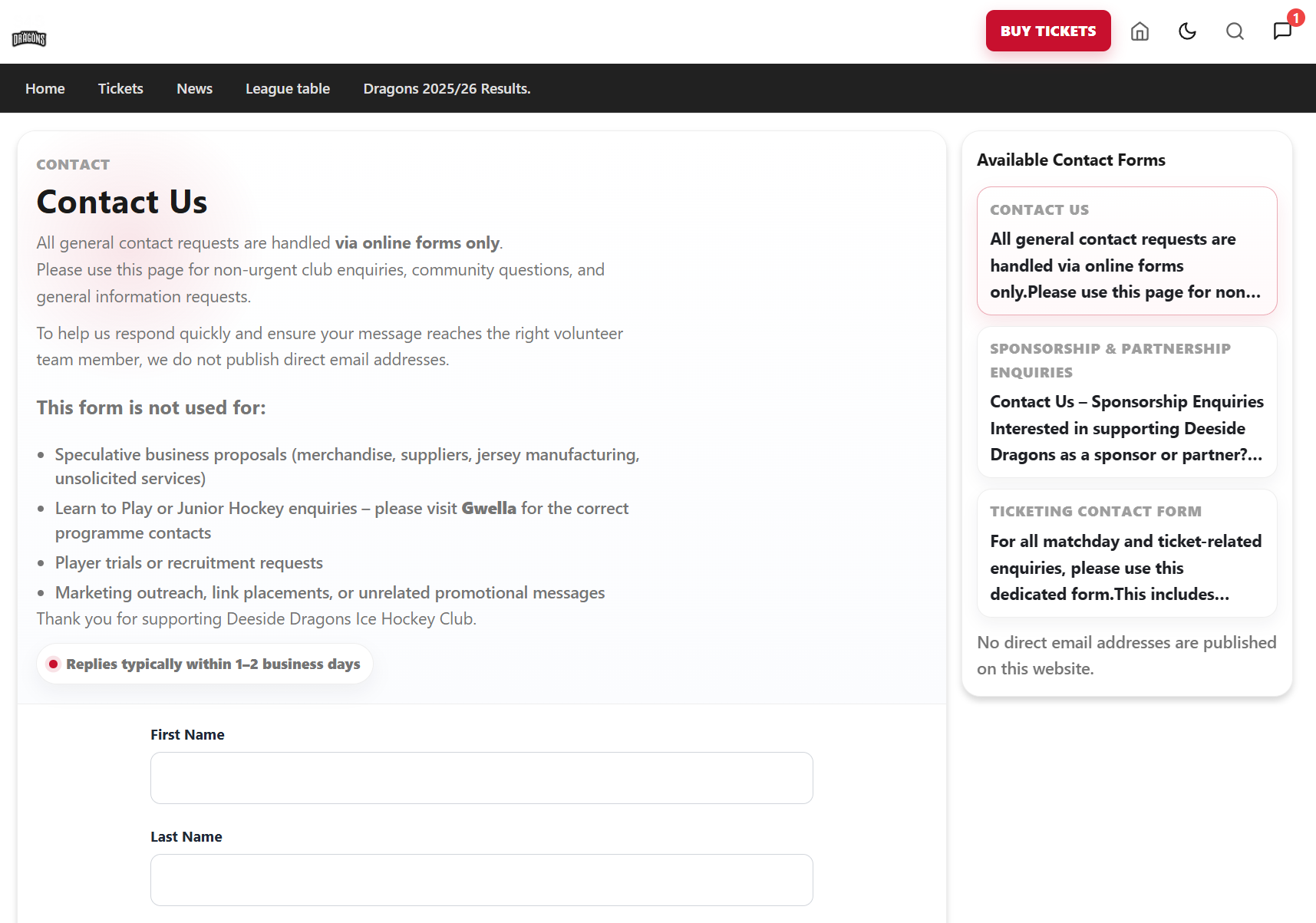
Deeside Dragons official support system contact page

Ready to secure your place at The Den?

Once Season Pass sales are open, log in to your account, follow the steps above, and choose the Season Pass option that works best for you.